Find your folders and decks
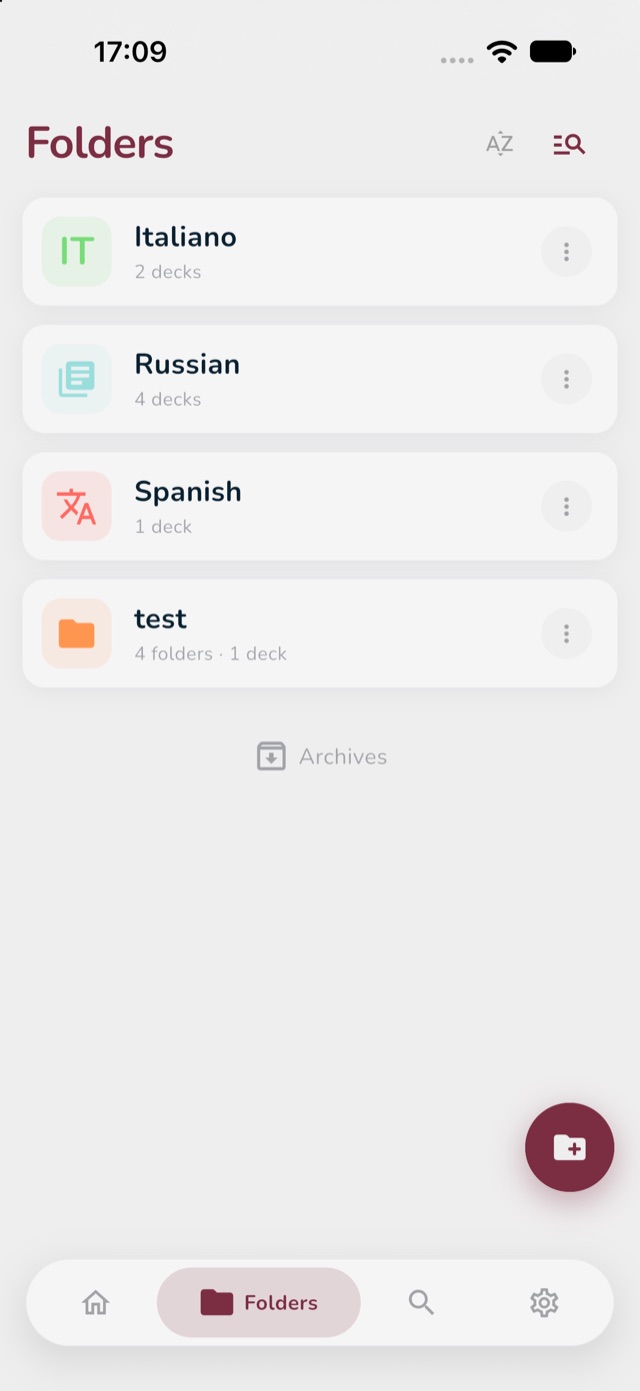
- Tap the Folders icon at the bottom of the screen. You see all your folders.
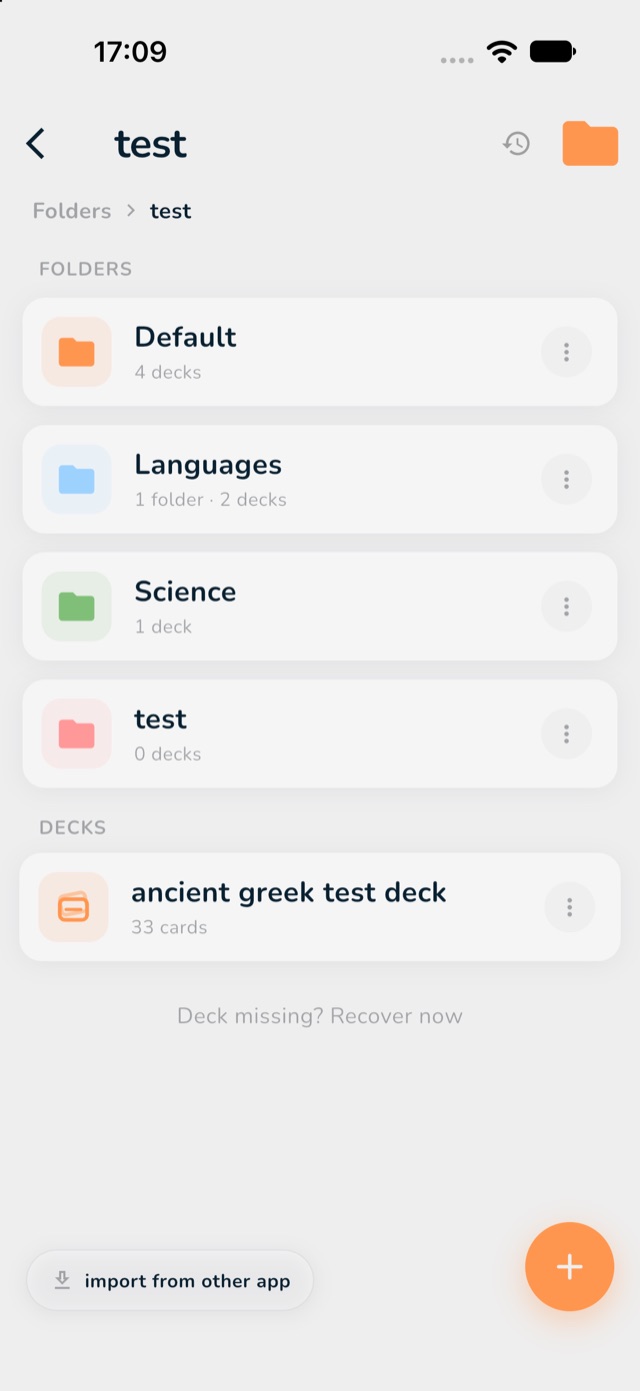
- Tap a folder to open it. At the top you see the folders inside it (Folders), below them the decks (Decks).
- Tap a deck to open it and study. The three study modes tells you which button to press.
- At the top, the line Folders > your folder shows where you are. Tap Folders to go back to the start.