← All guides

The three study modes, and which to pick

4 min · Last checked: October 2026

Open any deck and you see three ways to study it. They all use the same cards. They differ in what they are good for. All three are free. Need cards first? See Start here.

How to read the pictures: the red frame shows what to tap, and its number is the number of the step.

Which one should I pick?

  • Binge Learn: your test is soon. You want to go through the cards now, as much as you like.
  • Long Term: you want to still know it in a month, or a year. You study a few minutes every day.
  • Exam Mode: you want to check what you really know, like a small test.
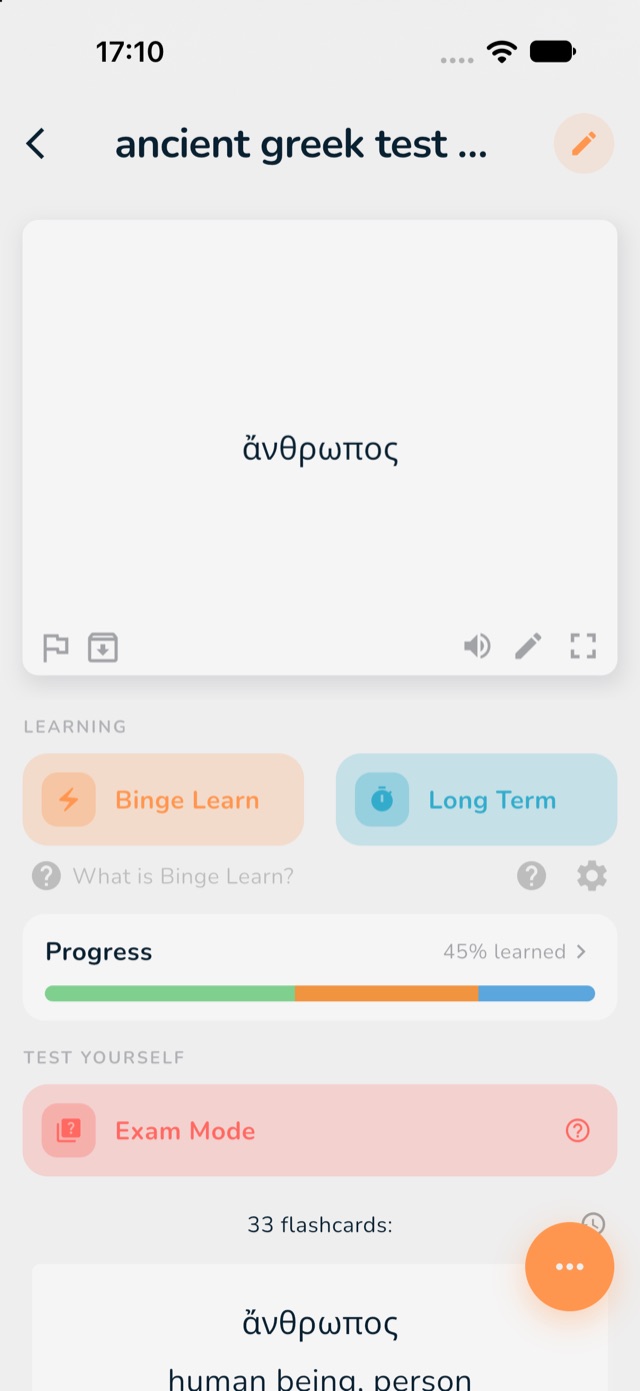
A deck with the three study buttons marked in red
1: Binge Learn. 2: Long Term. 3: Exam Mode.

Binge Learn

The app shows you your cards one after the other. You try to remember the answer, then check. The cards you did not know come back more often.

  1. Open your deck and tap Binge Learn.
  2. Look at the front of the card and think of the answer. You can also type it with the keyboard button.
  3. Tap Show Answer.
  4. Tap Good if you knew it, or Again if you did not.
  5. Went wrong? Tap the arrow at the bottom left to undo your last answer.
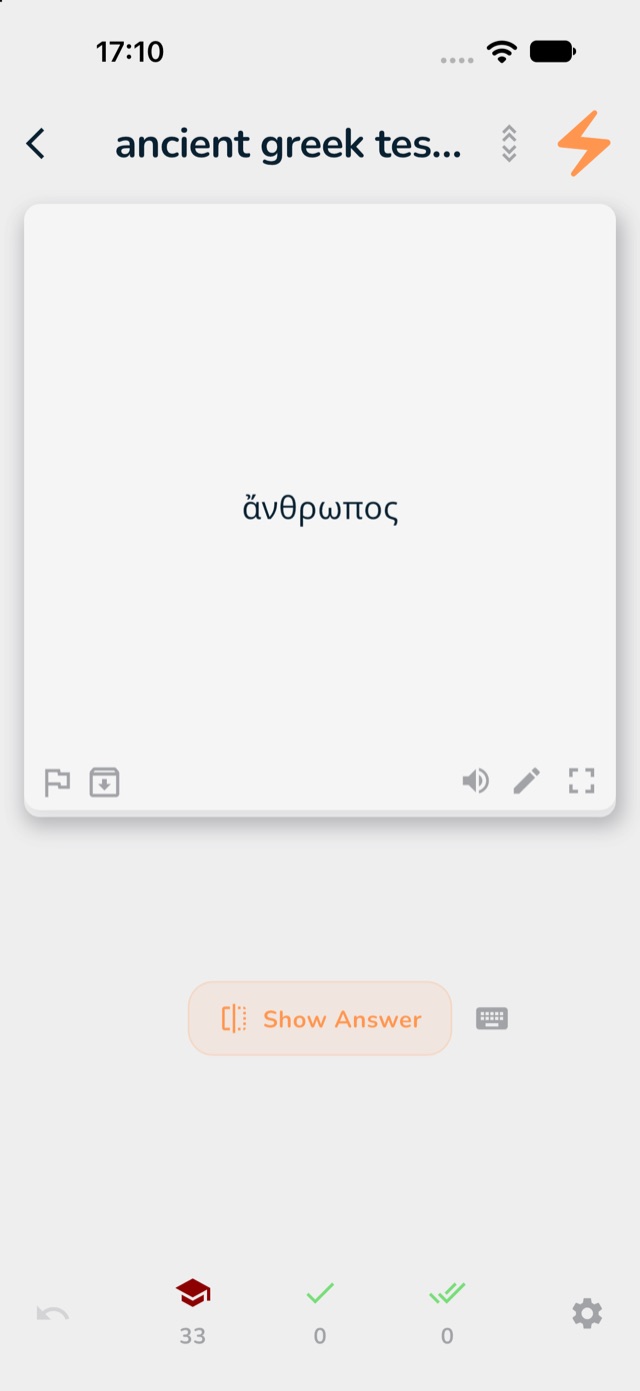
A card in Binge Learn with the Show Answer button marked in red
3: Show Answer.
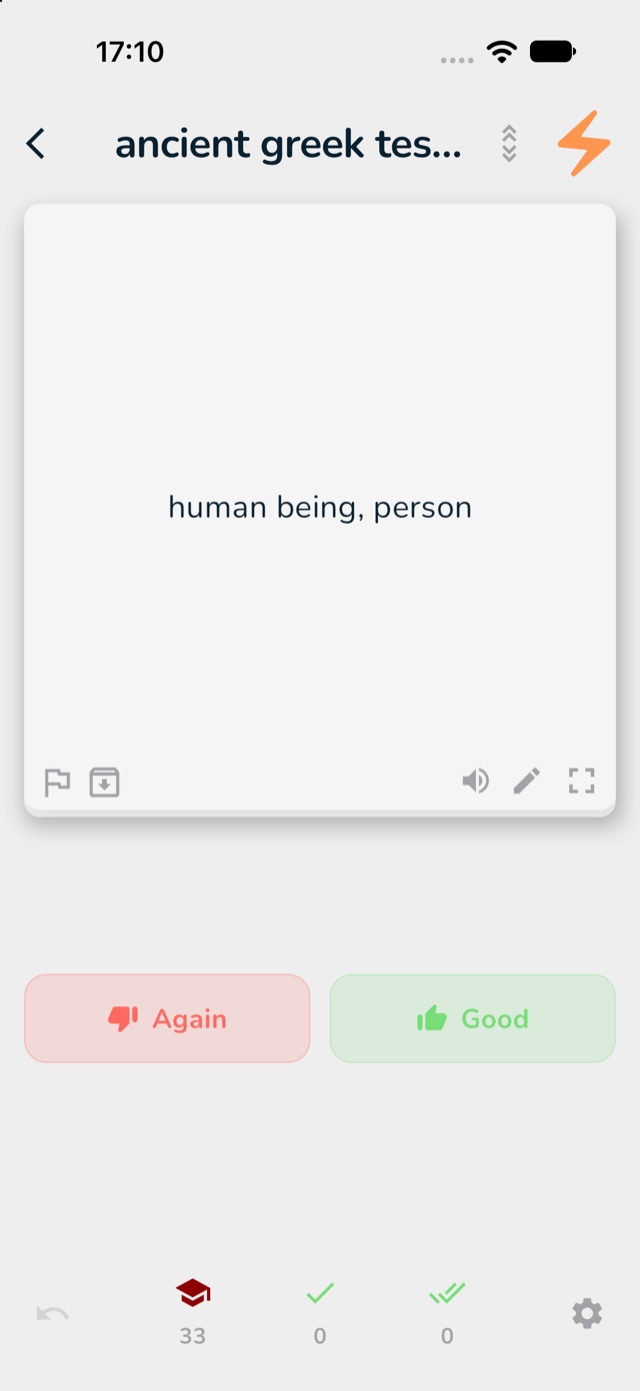
The answer side of a card with the Again and Good buttons marked in red
4: Good if you knew it, Again if not.

Long Term

This mode is made for remembering things for a long time. A card you know comes back later and later. A card you struggle with comes back sooner. So you spend your time on what you are about to forget.

You do a little every day. On the Home tab, the list Long Term Cards Due Now shows how many cards are waiting today: new cards (blue), cards to review (green) and cards you are still learning (orange).

  1. Open your deck and tap Long Term.
  2. Study the cards the same way as in Binge Learn.
  3. Come back tomorrow. The app has chosen the cards you need.

Tap the gear next to Long Term to change how many new cards you get each day. Study insights (Pro) show which cards you keep missing: see what Pro includes.
Exam Mode

A small test on your cards. For each card you say if you knew it. At the end you see your score, and which cards to practise again.

  1. Open your deck and tap Exam Mode.
  2. Answer each card honestly.
  3. At the end, read your score and look at the cards you missed.

Next

Not sure how a mode works?

Next to each mode there is a question mark. Tap it and the app explains the mode in a few words.