← All guides

Move your decks over from Anki

5 min · Last checked: October 2026

OutLearn can open the decks you made in Anki, with their cards, pictures, sound and cloze cards. It also keeps how well you already know each card, so you do not start from zero.

Importing is free. With Pro, your Anki folders also come across as folders in OutLearn. Without Pro, you get one deck, with your progress. Coming from Quizlet instead? See Move your sets over from Quizlet.

How to read the pictures: the red frame shows what to tap, and its number is the number of the step.

Part 1: Export your deck from Anki

Do this in Anki on your computer. Anki's menus change a little between versions, so the words may be slightly different.

  1. In Anki, click File, then Export.
  2. Under Export format, choose Anki Deck Package (*.apkg).
  3. Under Include, choose the deck you want to move.
  4. Tick Include scheduling information. This is what keeps your progress.
  5. Click Export and save the file somewhere you can find it.
Part 2: Get the file onto your phone

Send the file to yourself in a way you already use: AirDrop, email, or a cloud folder such as iCloud Drive or Google Drive. On the phone, save it to the Files app.

The easy way: in the Files app, tap the file, then choose OutLearn. The import window opens by itself. If you do this, you can skip Part 3.

Part 3: Open it in OutLearn

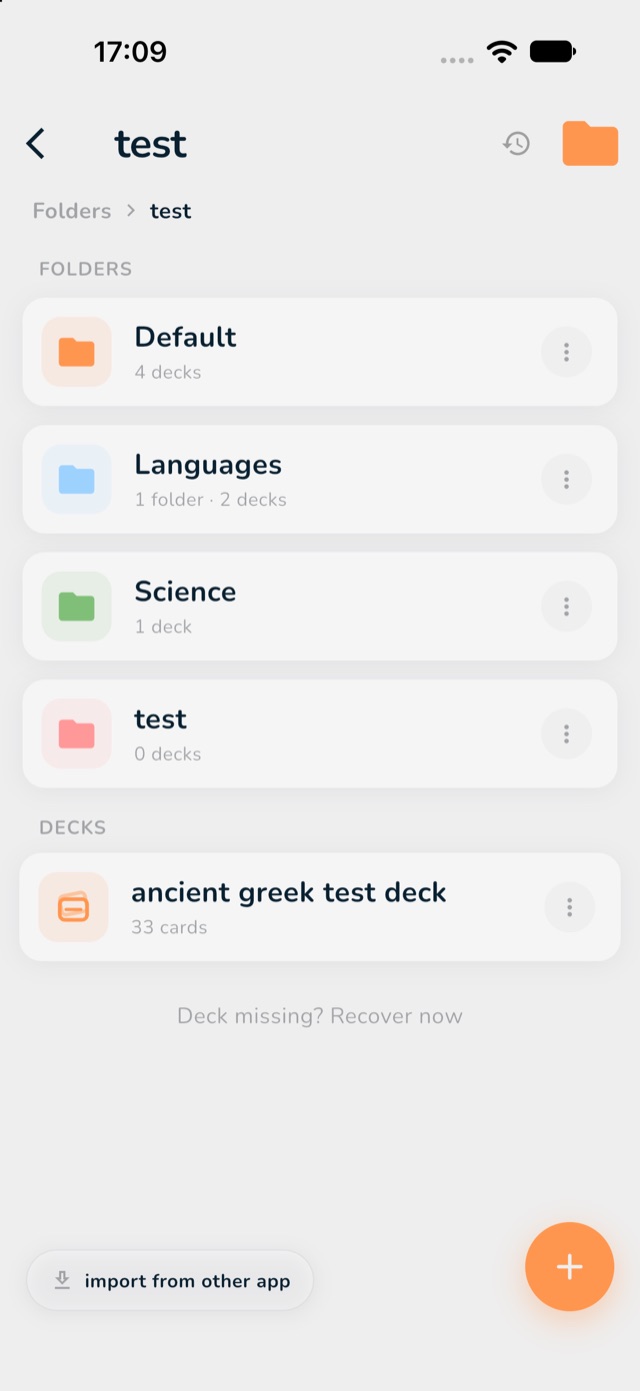
  1. Open OutLearn and tap the Folders icon, then tap the folder where you want your deck.
  2. Tap import from other app at the bottom left.
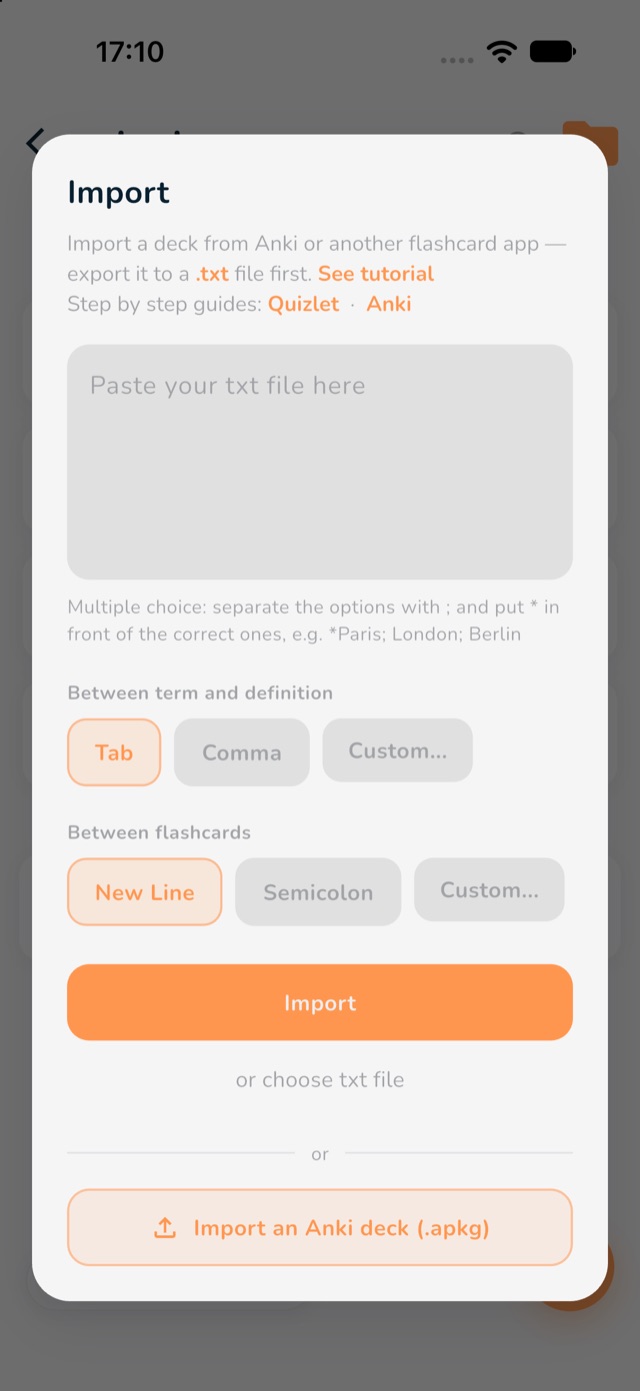
  3. Tap Import an Anki deck (.apkg) and choose your file.
  4. Tap the Import button that now shows the name of your deck.
  5. Read the summary at the end. It tells you how many cards came across, and whether anything could not be kept.
Inside a folder, with the import from other app button marked in red
1: open your folder. 2: import from other app.
The Import window with the Import an Anki deck button at the bottom marked in red
3: Import an Anki deck (.apkg).

What comes across

  • Cards: Basic and cloze cards, with their pictures, Image Occlusion and sound clips.
  • Your progress: when and how well you knew each card, if you ticked "Include scheduling information".
  • Your folders (Pro): Anki decks inside decks become folders inside folders. How folders work.
  • What may be left out: a few very large audio collections, and some picture types. OutLearn tells you at the end what was not kept.

Ready to study? See The three study modes. The mode Long Term continues from the progress you brought over.