← All guides for teachers

Getting started: the teacher license and the Classes tab

3 min · Last checked: November 2026

With OutLearn you make classes, share your decks with your students, see their progress and learn together in class, with a live quiz too. For this, your OutLearn account needs a teacher license.

You don't buy the license in the app: I turn it on for your account. During the pilot it's free.

How to read the pictures: the red frame shows what to tap. Its number is the number of the step.

Get the license

  1. Install OutLearn on your phone, tablet or computer and make an account, if you don't have one yet.
  2. Write to with your name, your school and the email address of your OutLearn account.
  3. Once the license is on, close the app and open it again. The Classes tab appears at the bottom.

The license usually lasts until the end of the school year. While it's active, you also have every Pro feature without buying Pro.
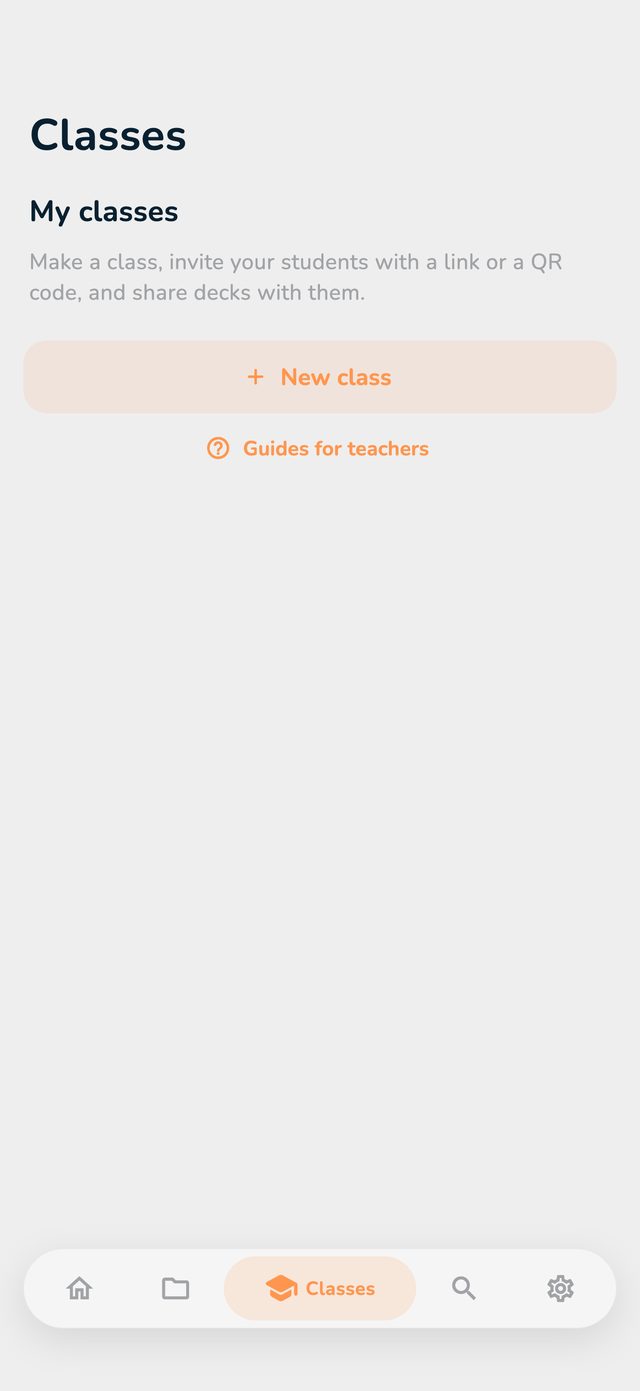
The Classes tab

Home and Folders are still your own decks, as before. Classes is the teacher side: all your classes are there. You switch between them with the tabs.

At first the list is empty. How to make your first class is in the next guide.

The Classes tab with no classes, with the New class button

In Settings

In Settings, teachers have a Teacher section:

  • Teacher license shows until when your license runs (green) or when it ended (red).
  • Open the app on: choose Classes if the app should open on your classes, or Home for your own decks.

When the license ends

You still see your classes, your students, their progress and past sessions, but you can't change anything: no new class, no adding decks, no in-class learning, no quiz. A note at the top of the page tells you.

What still works: declining join requests, removing students, deleting a class and ending a session that is still running.

Your students keep their class decks and can go on learning. Only your changes to the decks no longer reach them. Student accounts you made yourself are locked (see Student accounts without email).

Write to me before it ends if you'd like to renew the license.