Open the settings
- Open your deck.
- In the section Learning, tap the gear icon next to Long Term.
- The page Long Term Settings opens. When you leave it, your changes are saved.
Long Term shows each card again just before you would forget it. The settings decide how many cards you get each day and how the app plans them. The standard settings work well: you only need this guide when you want to change something.
Everything here is free. The settings belong to one deck, so each deck can have its own.
How to read the pictures: the red frame shows what to tap, and its number is the number of the step.
Not sure about a setting? Leave it. You can always come back.
Under Daily limits you find two numbers:
New cards come on top of your reviews. If a day feels too long, lower New Cards Per Day first.
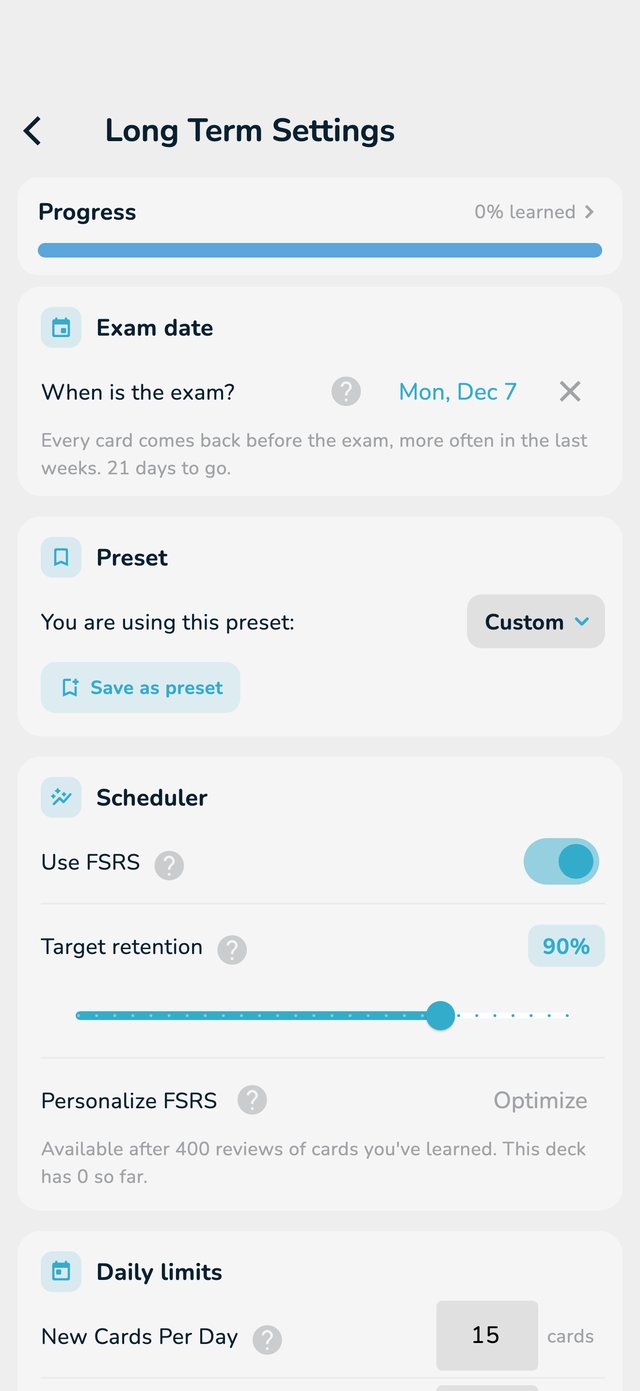
Studying for a test? Tell OutLearn the date, and it makes sure every card comes back before it, a little more often as the day gets closer. After the exam, the deck goes back to normal.
To remove the date, tap the x next to it. A date in the past changes nothing, so remove it or pick your next exam.
New decks use FSRS, the same method Anki uses. It estimates how well you remember each card and brings it back right before you forget it. For the same results you usually need fewer repeats. Tap What is FSRS? to read more in the app.
With FSRS on, Target retention says how often you want to remember a card when it comes back. 90% is a good balance: higher means more repeats, lower means fewer.
Older decks keep the classic method until you change them. On those decks, the deck page shows a card Try the smarter schedule: tap Switch to change, or Not now to wait.
After a few weeks of studying, Personalize FSRS and Optimize tune the method to your own memory. It needs enough reviews of cards you already learned: if there are not enough, the page tells you how many are missing.
A preset is a saved set of settings you can use on several decks.