← All guides

Your streak, your stats and the cards you keep missing

5 min · Last checked: November 2026

OutLearn keeps count for you: a streak of days, a calendar of how much you studied, and for each deck how much of it you have learned.

How to read the pictures: the red frame shows what to tap, and its number is the number of the step.

Your streak and your stats

On the Home tab, after your first review, a strip shows three numbers: your day streak, the cards you studied today, and the total.

  1. Tap the strip. Your stats opens.
  2. At the top, the flame shows your streak. Below it: your Best streak, Total reviewed and Today.
  3. The calendar Last 12 weeks shows each day. The darker the square, the more cards you did.
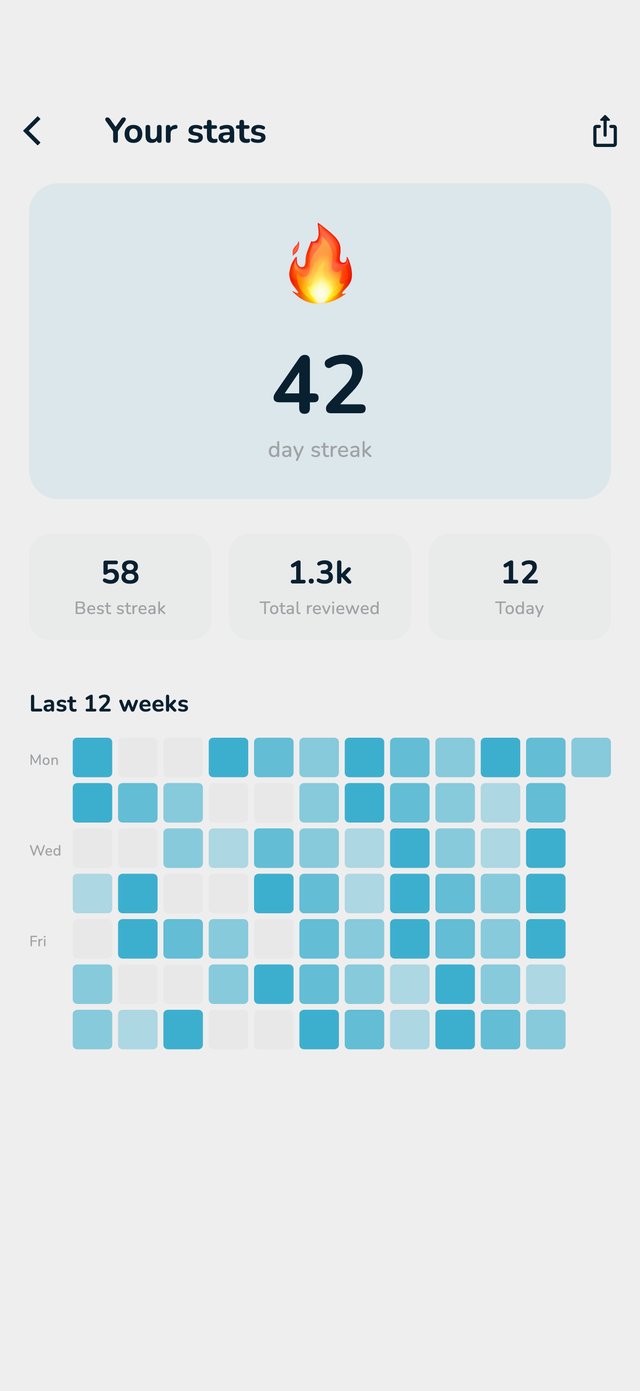
The Your stats page with the flame, the numbers and the calendar of the last 12 weeks
Your stats.

Only Long Term (and studying a whole folder) counts for the streak. Binge Learn and Exam Mode do not. A day counts as soon as you answer one Long Term card. If you skip a day, the streak starts again.

How much of a deck you know

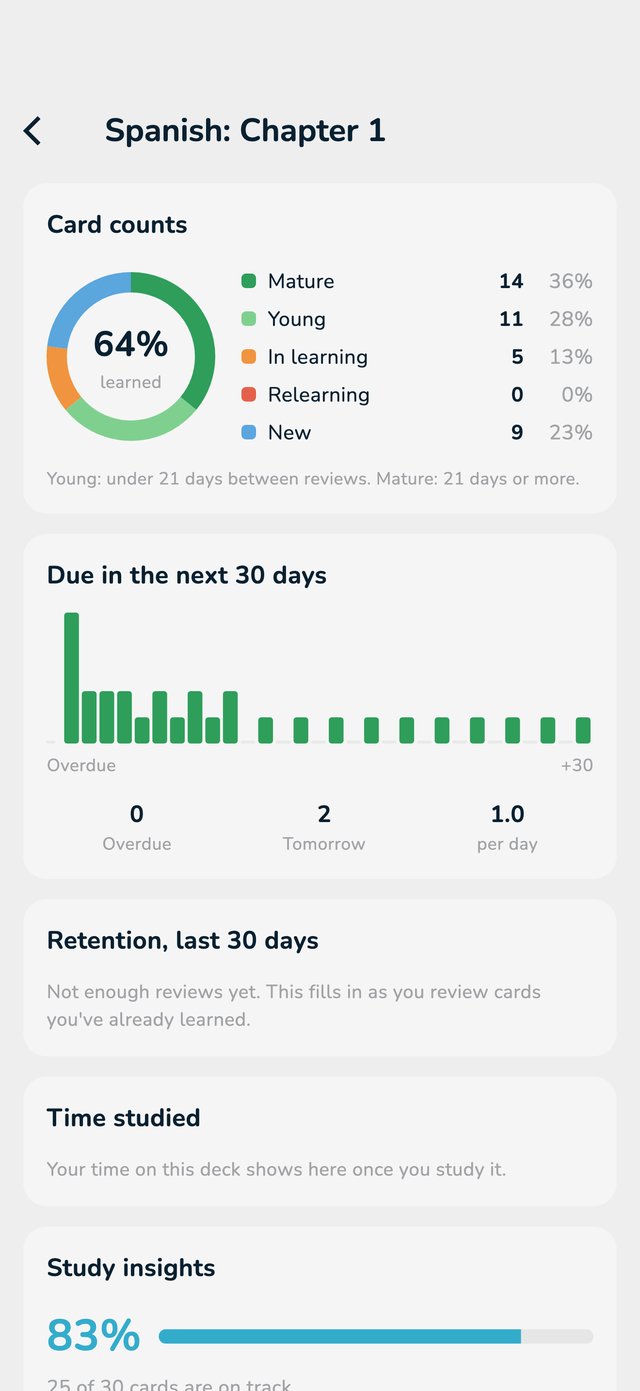
Once a deck is on Long Term, its page shows a Progress bar. Tap it to see the statistics of the deck:

  • Card counts: how many cards are new, in learning, young (under 21 days between repeats) or mature (21 days or more).
  • Due in the next 30 days: what is waiting, day by day.
  • Retention, last 30 days: how many of the cards that came back you remembered. It stays empty until you have repeated some cards.
The statistics of a deck: card counts, the next 30 days and retention
The statistics of a deck.

Cards you keep forgetting

Some cards just do not stick. OutLearn notices:

  • After you forget a card many times, a message You keep forgetting this card appears. The advice: make the card smaller, add an example or a memory trick.
  • On the deck page, a row cards you keep forgetting with Rewrite shows those cards, so you can rewrite them. Once you edit a card, it leaves the list.

Study insights (Pro)

Study insights show how many cards are on track, your repeats of the last 14 days, and Cards you keep missing. Tap Study weak cards to practise exactly those. They need a few days of studying first. Without Pro you see a preview.

Your past answers

In a Long Term session, tap the gear and switch on Show Past Answer. A small label on the card then shows how you answered before. Tap it to see Past Answers, newest first.