 Image Occlusion
 Free
Start in a minute
- Binge Learn, Long Term and Exam Mode
- Create and organise your own decks
- Study decks other students share, free
- No ads, no subscription
Anki alternative
Bring your Anki decks along, with cloze cards, images, Image Occlusion and sound, and study them with FSRS spaced repetition on iPhone, iPad, Mac, Android and the web.
How to switch
Export a deck from Anki, open it in OutLearn and it is ready to study. Your cards arrive as real cards, not as flat text.
In Anki, open File › Export and choose the .apkg format. Keep the media option ticked so pictures and sound come along.
Tap Import in a folder and pick your .apkg file. On iPhone, iPad, Mac and Android you can also open the file straight from Files, Finder or the share sheet.
Your cards wait in the folder you chose, one OutLearn deck per Anki deck. Start with Binge Learn or Long Term.
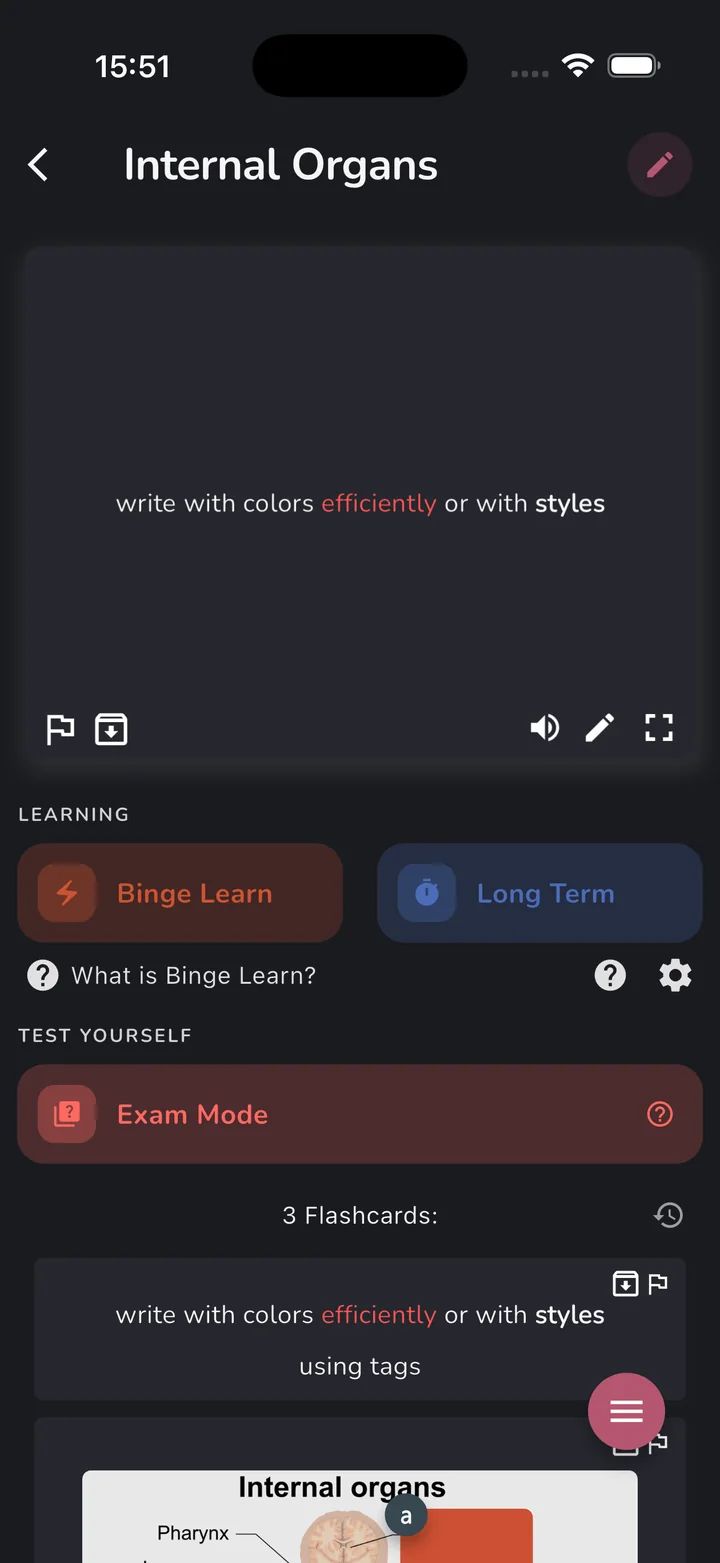
Anki cloze cards become real OutLearn cloze cards, not flat text.
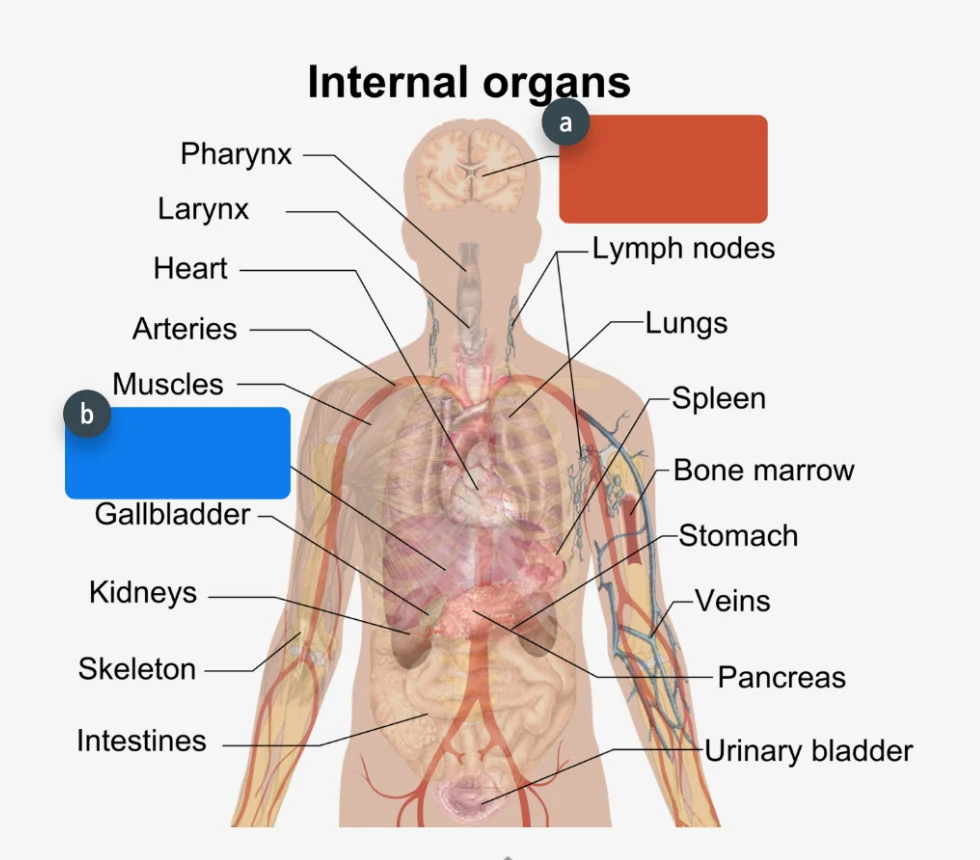
Anki’s Image Occlusion cards are converted into OutLearn’s own Image Occlusion, masks included.
The images on your cards are kept.
Sound on your cards comes along, so language decks keep their audio.
Works with the older .apkg format and with the one today’s Anki exports.
Every Anki deck, subdecks included, becomes its own OutLearn deck in the folder you choose.
Learning modes
Cram tonight, remember for years, or test yourself like it is the real thing. Pick the mode that fits the day.
Exam tomorrow?
Go through a whole deck or folder fast. Flip, then swipe to grade: cards you miss come back more often. Undo anytime.
Remember it for good
FSRS, the scheduler Anki uses, brings each card back right before you’d forget it. Each review on time pushes the next one further out.
Test yourself
Pick how many cards, prioritize flagged ones, and get your score at the end. Review your answers to see what to relearn.
Binge Learn and Exam Mode are built in and free.
Tap the card to flip it, then swipe it left or right to grade it.
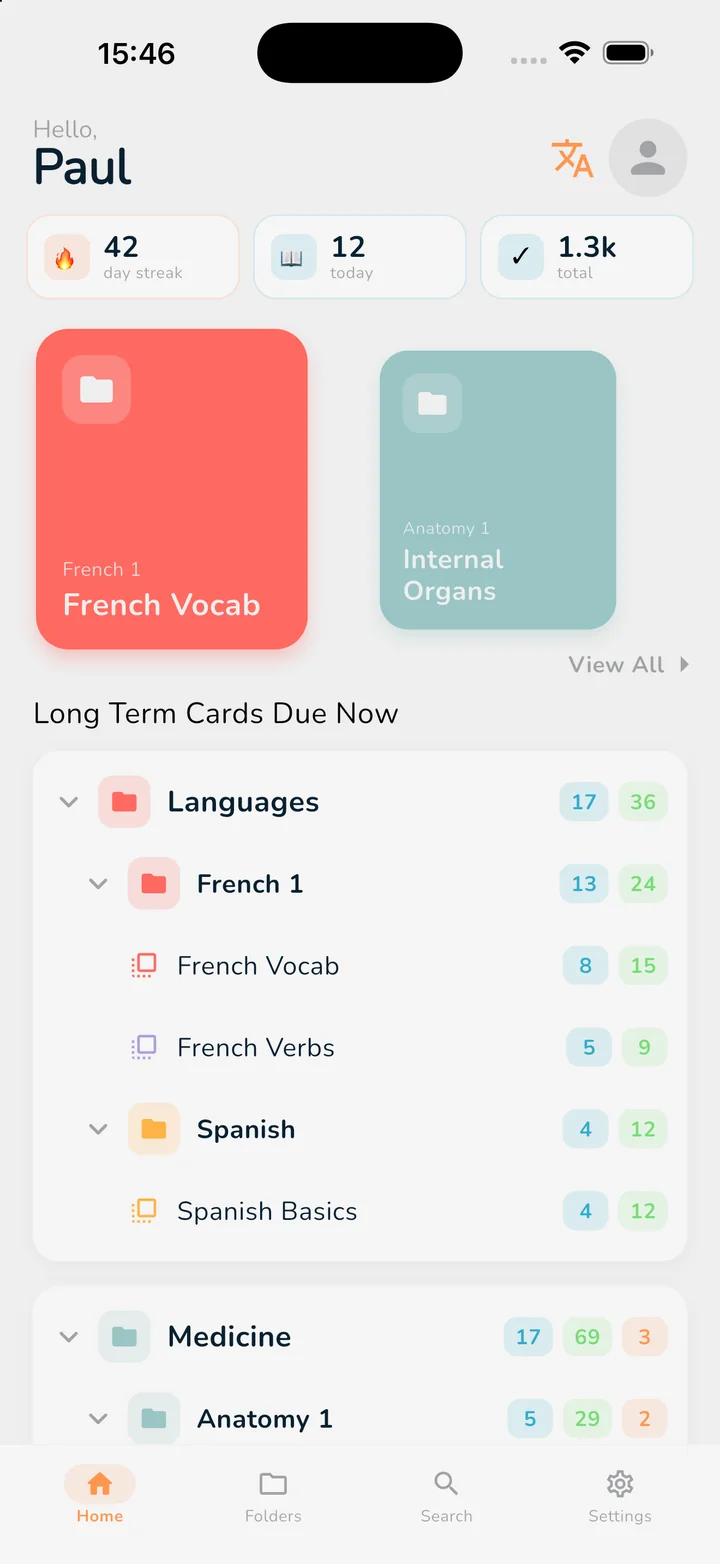
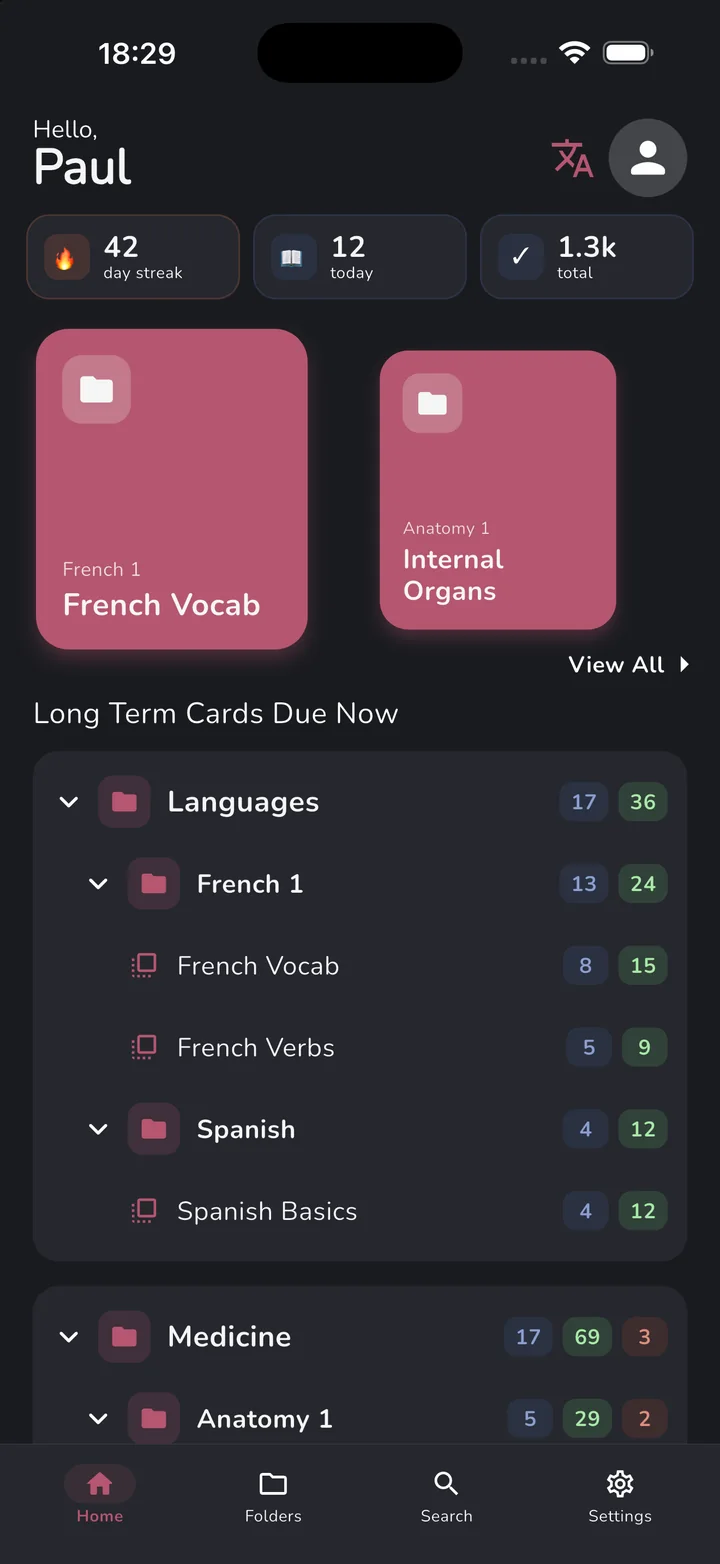
Your folders appear as a tree with the cards due in each, so you know where to start.
Study late in dark mode and match the app to your folders.
Side by side
Anki is a great tool, and a big reason spaced repetition is so well known. Here is where the two differ, and where they do not.
| OutLearn | Anki | |
|---|---|---|
| iPhone and iPad | Free to start. Pro is a one-time purchase. | AnkiMobile is a paid app (one-time purchase). |
| Cram before an exam | Binge Learn: flip, swipe to grade, and missed cards come back more often. | Custom study sessions that you set up yourself. |
| Test yourself | Exam Mode: choose how many cards, get a score, review your answers. | No built-in scored test. |
| Interface | Intuitive and made for touch: swipe to grade, dark mode and themes. | Powerful and highly configurable: deck options, note types and add-ons. |
| FSRS spaced repetition | Built in. | Built in. |
| Cloze deletions | Built in. | Built in. |
| Image Occlusion | Built in (part of Pro). | Built in. |
| Public decks | Free decks by category, in the app and on the web. | Shared decks on AnkiWeb. |
Anki may suit you better if you rely on community add-ons, want to tune every detail or need open-source software.
Based on each app’s public information in October 2026. Anki is a trademark of its owner. OutLearn is not affiliated with, or endorsed by, Anki.
Why OutLearn
Everything you know from spaced repetition, in an app you will want to open.
Binge Learn to cram, Long Term (FSRS) to remember for years, Exam Mode to test yourself.
iPhone, iPad, Mac, Android and the web, in sync, and still working offline.
Record your own voice on a card to practise pronunciation. Playing them is free.
Paste OutLearn’s prompt and your notes into any free AI chat, then paste the answer back.
Six accent colors, light and dark, matched to your folders.
Browse decks shared by other students, by category, and study them with spaced repetition.
Really cool platform with awesome customer support. Writing my math in LaTex makes it much easier to learn! Definitely worth a try :)
This app has been a lifesaver ever since Quizlet discontinued the printing flashcards options.
My whole classmate is using this because i recommended it, and they realy love it! I've tried many application but this is the most user friendly. This app helped us to aim high score during quiz and test
Splendid! The best digital-to-physical flaschards software! This app does everything you want it to. It is also crazy fast and works really well on mobile.
Great Quizlet Alternative! Quizlet’s Learn feature used to be my go-to until they discontinued their shuffle option. I started searching for an alternative flash card app with shuffle functionality and found OutLearn on Reddit.
Great so far, got it as a replacement for quizlet, which is going downhill. Love having the ‘binge’ vs ‘long term’ learn modes. Great stuff!
Used this because of its glossary printable deck! Thank you so much.
App does exactly what it says on the tin. No ads. Dark mode. There is a shuffle function, which is an integral part of a flashcard app that no others (Quizlet!) seem to have.
Free, with Pro for extras
Everything you need to study is free. Pro is a single payment, never a subscription, and it unlocks the extras.
Start in a minute
Everything in Free, plus:
€19.99 one payment, no subscription
Price shown for your region. The final price depends on your country and where you buy, and you always see it before you pay. Pro belongs to your account and works on all your devices.
FAQ
Yes. Export a deck from Anki as an .apkg file and import it in OutLearn. Basic and cloze cards, images, Image Occlusion and sound clips are kept, and both the older and the current .apkg formats work.
No. Cards and media come across, review history does not. Every imported card starts as new, and OutLearn’s FSRS scheduler builds your plan from your first review. If an exam is close, Binge Learn is a fast way to get through a deck.
Yes, you do not need Pro to import. Pro adds extras such as adding your own images, creating Image Occlusion cards and LaTeX, and it is a single payment, never a subscription.
Yes. Long Term mode uses FSRS, the same scheduling algorithm that is built into current versions of Anki.
Free to start on every platform, with no ads. Binge Learn, Long Term and Exam Mode are free. Pro is a one-time purchase, never a subscription.
iPhone, iPad, Mac, Android and the web. One account keeps your decks and progress in sync, and everything works offline.
No. There is no add-on system: the features are built in, and new ones are added from students’ suggestions, right inside the app.
Very large audio collections may not fit. OutLearn tells you after the import if some sound clips could not be kept.
Free to start on every platform. No ads. No subscription, ever.